Making pool scheduling simple
A scheduling platform had grown into a tangle of features.
We cut it back to what technicians and dispatchers actually use.
The problem: a classic case of feature-itis
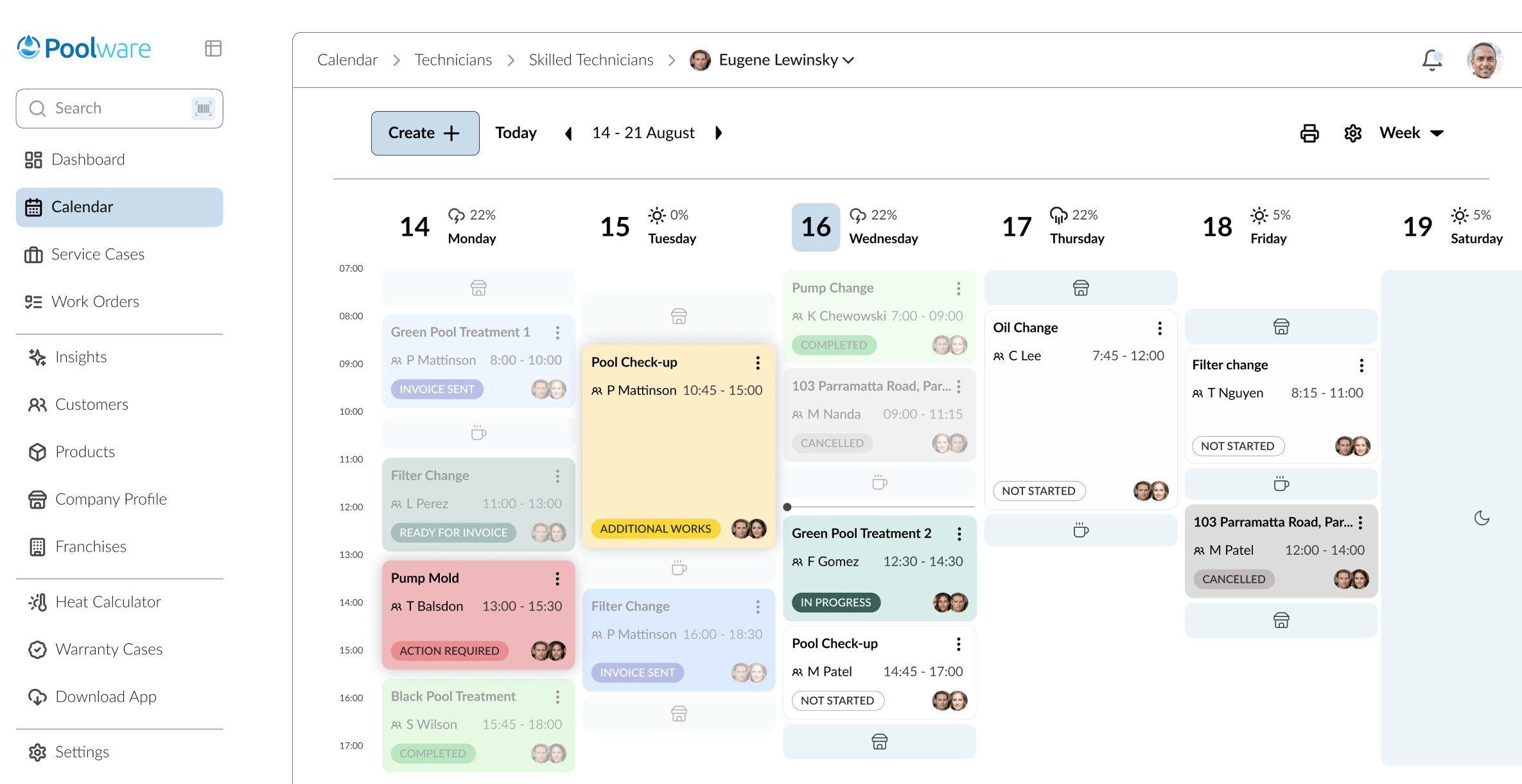
Poolware manages bookings and tasks for pool technicians and the dispatchers who schedule them. It had grown complicated and hard to use. It was packed with features, but few of them worked well for the people using them every day.
"I print out the jobs, it's rained for 3 months where I live and phones get too wet."
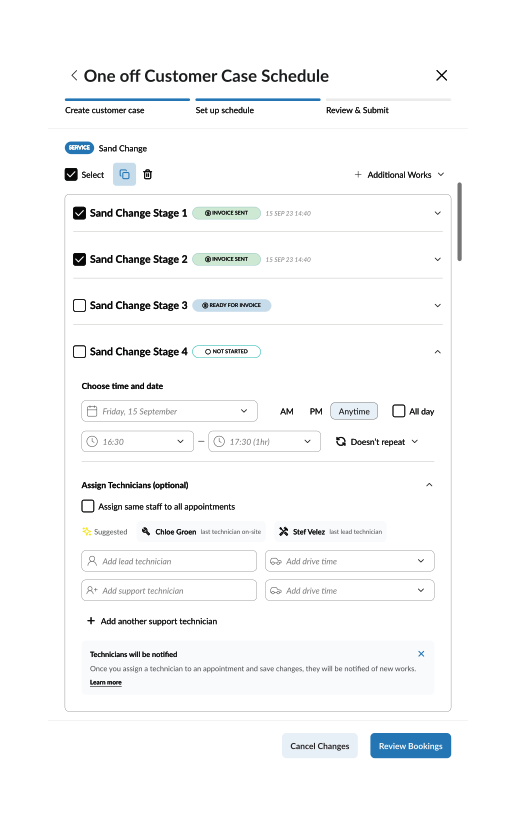
Technicians didn't always have reliable internet or recent devices. Filling in long job forms from their vans was slow and frustrating.
Many dispatchers weren't comfortable with the technology and built their own workarounds, so details about jobs, payments and notes were often lost.
"All the jobs I book for 2 o'clock means they're recurring."
There was little training on the options, so most people stuck to the calendar, the one part they understood.
A confusing system of roles and access made any redesign risky.
How we found out what was wrong
We interviewed 10 people: 5 technicians and 5 dispatchers. Each session used a script, exercises and follow-up questions. One dispatcher in particular gave us insights that shaped our ideas.

We ran a workshop with key stakeholders to map how technicians complete their tasks, adding feedback from dispatchers and managers. Technicians were the people the whole system depended on, because pools don't get cleaned however good the booking system is. So we followed their day and added lanes for every other role that crossed their path, in a service blueprint.

Dispatchers work closest to the technicians on site, a bit like a control tower guiding pilots. We ran card sorting, user flows, pros and cons exercises and usability tests with them, and with technicians.
What we changed
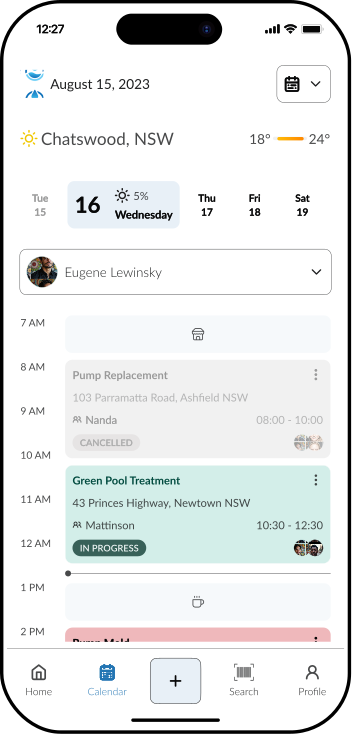
The calendar was the most-used feature, so it came first. We simplified it, made it easier to navigate and connected it to other tools.
People were using the calendar as a stand-in for a dashboard, so we built a proper one with the important tasks and work stats, a better way to start the day.
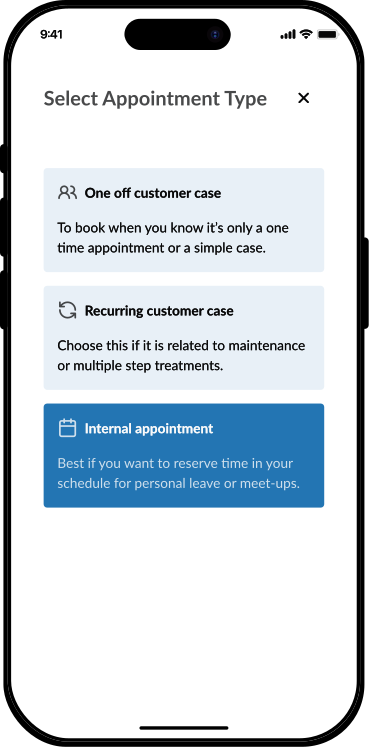
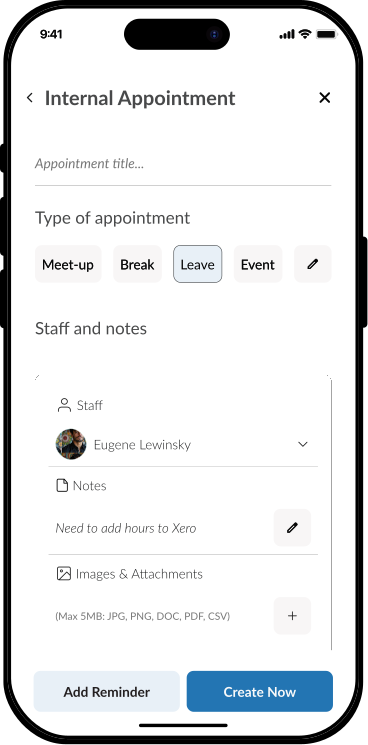
Many users didn't know about features that would reduce their workload, and "hacked" the platform instead. Appointment types now use icons, tailored suggestions and personalisation.
Technicians and dispatchers now see only what they need, which makes the work less confusing.
Technicians often work in remote areas with poor or no connection, so dispatchers were handing out paper forms and printed schedules. We proposed offline synchronisation and separate user accounts.
Process and expectations
• 3 to 4 rounds of low-fidelity wireframes to test and refine ideas.
• Moodboards: so we and the stakeholders could agree on the look and feel.
• Light prototypes early on for complex tasks.
• Remote presentations, including a final one attended by the CFO.
Stakeholders wanted to add features. Users needed the platform simplified. I facilitated workshops to line up technical constraints with user priorities and argued for feature reduction over feature expansion.
At one point, no matter how many iterations and meetings we had, we kept adding complexity. It took a hard stop and a redirection to prioritise features and to understand why the developers needed so many of them.
Results
• Users quickly started using the new dashboard and workflows.
• The client was pleased with the improvements and planned further updates.
• Technicians and dispatchers found their work easier to do, even with limited internet.
Waterco went on to keep developing its application suite and hired our team to work on a new app for its C-suite.